


Please feel free to use this thread to discuss the Summertime Comic Creation contest and practice submitting your entries.
The full contest details and rules can be found here.
When you are ready to make your entry, please do so by posting in the Entry Thread.
-
07-19-2013 09:24 PM #1
Summertime Comic Creation Contest - Discussion Thread
(0)Gildrein - Community Team
-
07-20-2013 01:09 AM #2Player


- Join Date
- Jul 2011
- Location
- Bastok
- Posts
- 2,234
- Character
- Dragoy
- World
- Fenrir
- Main Class
- RNG Lv 99
€°(((><
Good luck and have fun! (NA)
(lol)
A nice idea for a contest, I guess. Too bad it's not for everyone; there goes my understanding, but I do still remember what my appreciation looks like. ^^;
I do wonder if the Atomos Statue will ever be available for the other regions. Not that I would win it even if I were able to participate, though!(0)...or so the legend says.

-
07-20-2013 02:33 AM #3Player


- Join Date
- Jul 2013
- Location
- California
- Posts
- 4
- Character
- Pileya
- World
- Valefor
- Main Class
- THF Lv 96
Aww got my hopes up! I was hoping to draw a comic for you all! Still might do so XD
(2)My Main Art Gallery http://www.furaffinity.net/user/rozga/
-
07-21-2013 06:05 PM #4
I see that Square Enix is still only allowing 1 entry per account, regardless of how many paid playonline accounts are in that Square Enix account. My wife and I share a Square Enix account because when I called PlayOnline, the employee told me that I didn't need 2 security tokens if I put both my account and my wife's account until 1 Square Enix account. We took the advice of your employee and BAM, every contest you guys have had on the forums restricted us so only 1 of us can enter the contest, I guess that very uncustomer-friendly policy still exists...
If you're gonna limit couples to one entry per account then maybe you guys should stop writing "One entry per person, If multiple entries are posted, only the first one submitted will be accepted" and change it to what you really mean, which is "One entry per square-enix account" because last time I checked, my wife and I are 2 different people yet we both can't enter the contest. What's funny is that if you read the contest rules, we are still within the rules when we both enter, but whomever enters second has their entry ignored (which is usually me because I don't want my wife treated like a second class paying customer, the "honor" of having the contest entry ignored goes to me for being a caring husband.)
Don't you guys think it's time to start doing the right thing instead of constantly pushing paying customers away by denying them fair treatment? A search in your forums will tell you that we're not the only couple being affected by these contest rules.
I doubt SE will care though, I've called you guys over this a few times, talked to an SGM (supervisor GM who agreed that our treatment was unfair) and I've posted multiple times in the forums about this (and never got a response, even though the 3 times Ive called over this ended the same way, post in the forums and they will help you [even the SGM said this,] yet I've never gotten a response.)(1)
07-22-2013 10:47 PM #5Player

- Join Date
- Mar 2011
- Location
- Phoenix
- Posts
- 12
- Character
- Gregan
- World
- Odin
- Main Class
- PUP Lv 99
i put the photo's on but they are not showing up
(0)
07-22-2013 11:06 PM #6Player
- Join Date
- Mar 2011
- Location
- Phoenix
- Posts
- 12
- Character
- Gregan
- World
- Odin
- Main Class
- PUP Lv 99
how do i delete post? my photo's dont appear with my txt now its ruined and i cant try again? i want my photo's i posted placed in i thought i did everything it said. but my post in the entry just has text and thats it... the links are on my post but just link not the actual image and i used that insert image tool on this reply thing
(0)
07-23-2013 01:14 AM #7Player

- Join Date
- Dec 2011
- Posts
- 44
- Character
- Luministia
- World
- Asura
- Main Class
- WHM Lv 99
I don't think you can delete your posts because it's an official contest. But I'm sure that you can still try again, after all you never actually posted any pictures. I'm sure they will forgive you for it.
 Originally Posted by gregan

I am correct in assuming you use flicker for your pictures? If so, in order for them to show up. Log into flicker > click on the image you want > look at the bottom of the screen > find an icon that looks like a box with an arrow pointing out of it > click > copy the url > paste the url in your post.
Now if you preview post you will notice that the picture is there however your picture still has an ugly url tail. For me personally, I delete the last 2 lines of the url. I don't think those are necessary. That gets rid of that ugly url tail on your picture. After that you just write in your text for the comic. Do this for all the pictures and your all set.
In the future if you are unsure of how to post pictures you should either use the "preview post" before "submit reply". Or make a practice post in practice thread if one is available. Or even in discussion thread if one is not. Plus I can totally understand your frustration since I went through the exact same type of problems at first when I didn't understand how to post my pictures.(0)
07-23-2013 01:28 AM #8Player
- Join Date
- Dec 2011
- Posts
- 44
- Character
- Luministia
- World
- Asura
- Main Class
- WHM Lv 99
Hmmm, I see no edit here either. I misspelled flicker, needs to be flickr.
And I also forgot to mention that in order for you to find the "preview post" button you have to make sure you use "Go Advanced" button for your post. It's at the very bottom of the screen.
Don't use "Insert Image" either, paste the actually url like I said above.(0)
07-23-2013 06:58 AM #9Player

- Join Date
- Mar 2011
- Location
- Windurst
- Posts
- 1,305
- Character
- Ziyyigotipyigo
- World
- Sylph
- Main Class
- PUP Lv 1
If only we had some sort of "Linkshell Community" or "Lodestone" on which we could upload FFXI-relevant pictures to...
(0)Nothing in the above post is intended to disparage Square Enix or FINAL FANTASY XI, or to criticize Square Enix staff; such behavior would be a violation of the FINAL FANTASY XI User Agreement. Any such violations of the FINAL FANTASY XI User Agreement should be reported to Square Enix immediately, by using the "Report Post" icon in the bottom-left of forum posts.
No Moogles were harmed in the making in this post. Stars save the Sibyl!
07-26-2013 01:41 PM #10Player
- Join Date
- Jul 2013
- Location
- California
- Posts
- 4
- Character
- Pileya
- World
- Valefor
- Main Class
- THF Lv 96
Practice Post.
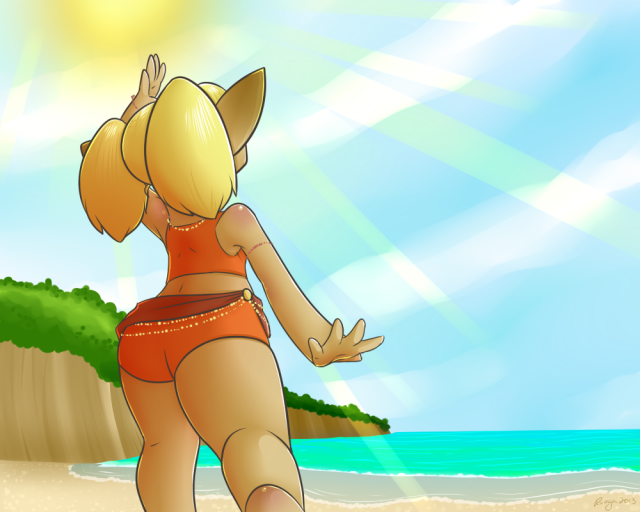
Tarutaru: Oh it is So lovely outside!
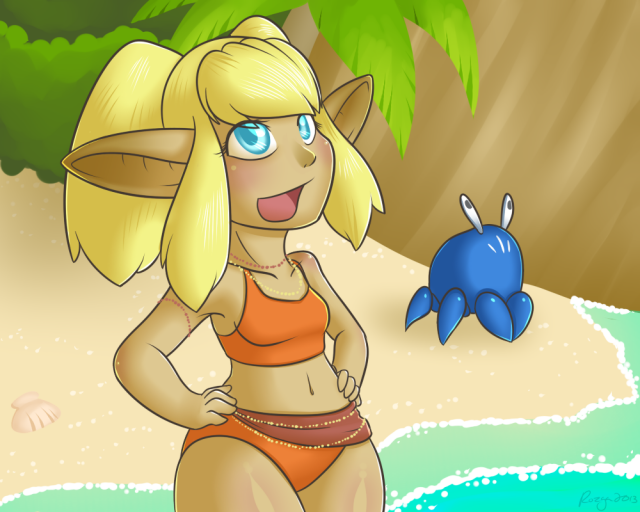
Tarutaru: It is nice to take a break from being party leader every once in a while.
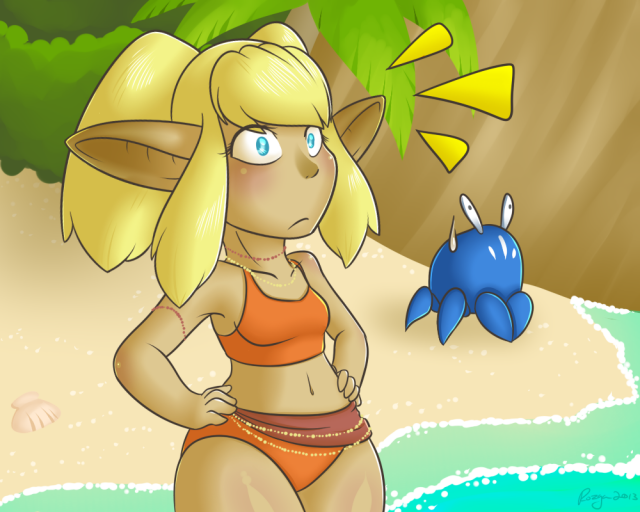
Tarutaru: Wut....
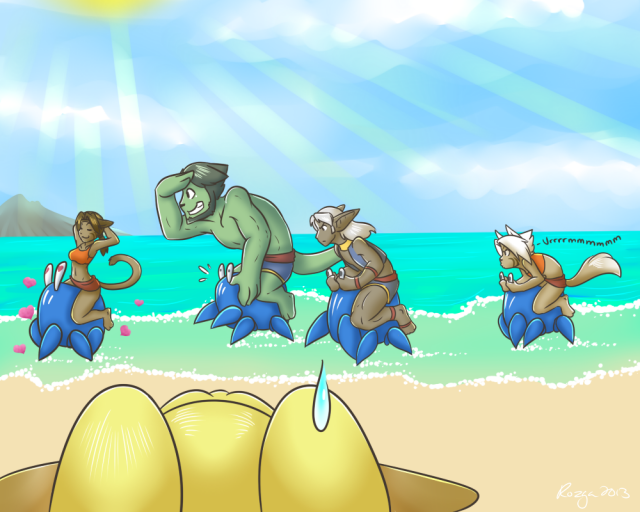
Elvaan: No fair charming!
Mithra: Not my fault you are failing at this race.
When this contest first got posted I had this pop in mind!
DA link for y'all.(1)My Main Art Gallery http://www.furaffinity.net/user/rozga/

© SQUARE ENIX
FINAL FANTASY, SQUARE ENIX, and the SQUARE ENIX logo are registered trademarks of Square Enix Holdings Co., Ltd. Vana'diel , Tetra Master, PLAYONLINE, the PLAYONLINE logo, Rise of the Zilart, Chains of Promathia, Treasures of Aht Urhgan, and Wings of the Goddess are registered trademarks of Square Enix Co., Ltd. The rating icon is a registered trademark of the Entertainment Software Association. All other trademarks are the property of their respective owners. Online play requires internet connection.
 Reply With Quote
