


I just want to play... I've had a long day. This is beyond frustrating and I don't know what to do. I've paid for this game and I'm paying my sub. Yes this is a "New MMO" as everyone says but...
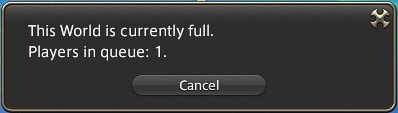
For days now, I login, I suffer through an egregious wait time, I play for a few minutes, the game causes a blue screen of death and by the time I get back in, in under a minute with my SSD, I'm kicked out to the back of the queue.
I have updated all of my driver's. The blue screen passes so fast I can't read it and I can't find the error in my windows event logs, likely because the computer is forced off before it can log.
I just want to play. How did this game get game of the year when it's so broken you can't play?
Hybrid View
-
12-15-2021 09:20 AM #1Player

- Join Date
- Dec 2021
- Posts
- 7
- Character
- Valtiel Rose
- World
- Balmung
- Main Class
- Paladin Lv 48
I'm so tired of this. BSOD causing me to lose place in queue
(1)
-
12-15-2021 11:50 AM #2
Greetings fellow Eorzean,
We would like you to submit a Final Fantasy XIV system report. Please go to the 'Config' option on the Final Fantasy XIV launcher and to the right of 'System Information' click on 'Display.' Copy and paste the details shown when replying back to this post.
Additionally, what is the full error message/code when the BSOD occurs? Usually, this indicates a Windows error of some sort.
We look forward to your reply back.
Thank you for visiting the Final Fantasy XIV Technical Support Forums!(0)
-
12-15-2021 12:06 PM #3Player

- Join Date
- Dec 2021
- Posts
- 1
- Character
- Buun Zilla
- World
- Faerie
- Main Class
- Red Mage Lv 87
Now I skip cut scenes
It's my day off and I don't have a lot of time to play, or money to pay for a game that doesn't work. I love FF and have for most of my life, but this is beyond frustrating for a game i'm paying for. I started skipping CS's just to make up for the 4hrs I just lost trying to access the game. then I got booted again and thrown to the back of the q line. I'm gonna go play POE and hope this gets fixed b4 I unsubscribe.
(0)
-
12-16-2021 09:06 AM #4Player
- Join Date
- Dec 2021
- Posts
- 7
- Character
- Valtiel Rose
- World
- Balmung
- Main Class
- Paladin Lv 48
Just reformatted my computer, made sure EVERY driver was up to date, even the irrelevant ones like Bluetooth.
It literally JUST happened to me. Just finished a fresh reinstall after a total system reformat. Logged in at dinner time to get in line. Got in after about an hour and a half. Stayed idle for a few minutes while I ate dinner. Picked up my laptop, went to move my character and blue screen. Got back in and I'm 2,600th in line.
The blue screen messages go by too fast to catch what they are but it looks like it's unhandled exception errors. I don't get this under any other circumstance on my computer.
I can't begin to describe how irate I am at this experience. You made sure your payment system works well enough to charge my my subscription fee today, but I can't get into my game? Pathetic these issues can't be fixed. At least increase the bias time to log back in to something actually reasonable like 5-10 minutes if you're not going to address these issues.(0)Last edited by ValtielRose; 12-16-2021 at 09:10 AM.
-
12-16-2021 09:00 AM #5Player
- Join Date
- Dec 2021
- Posts
- 7
- Character
- Valtiel Rose
- World
- Balmung
- Main Class
- Paladin Lv 48
-=-=-=-=-=-=- FFXIV Information -=-=-=-=-=-=-
MyDocument C:\Users\cicad\Documents
ProxyEnable 0
ProxyServer unspecified
ProxyOverride unspecified
-=-=-=-=-=-=- System Information -=-=-=-=-=-=-
SYSTEM_OS Windows 10 Home 64-bit (6.2, Build 9200) (19041.vb_release.191206-1406)
SYSTEM_CPU Intel(R) Core(TM) i7-9750H CPU @ 2.60GHz (12 CPUs), ~2.6GHz
SYSTEM_CORE_NUM SYSTEM_CORE_LOGIC 12 SYSTEM_CORE_PHYSICS 6
SYSTEM_BIOS N.1.52
SYSTEM_LANGUAGE English (Regional Setting: English)
SYSTEM_MEMORY 16237.008MB
SYSTEM_VIRTUAL_MEMORY 134217727.875MB
SYSTEM_PAGE_FILE 19181.008MB
SYSTEM_STORAGE C:\ SYSTEM_HARDDISK_DRIVE SYSTEM_TOTALDISC_SPACE 930.912GB SYSTEM_FREEDISC_SPACE 742.574GB
SYSTEM_DIRECTX_VERSION DirectX 12
SYSTEM_GRAPHICS Intel(R) UHD Graphics 630
SYSTEM_GRAPHICS_DEVICE \\.\DISPLAY1
SYSTEM_GRAPHICS_CHIP Intel(R) UHD Graphics Family
SYSTEM_GRAPHICS_MAKER Intel Corporation
SYSTEM_GRAPHICS_VRAM 128.000 MB
SYSTEM_GRAPHICS_SHARED_VRAM 8118.504 MB
SYSTEM_GRAPHICS_DAC Internal
SYSTEM_GRAPHICS_DISPLAY_MODE 1920 x 1080 (32 bit) (144Hz)
SYSTEM_GRAPHICS_DRIVER C:\WINDOWS\System32\DriverStore\FileRepository\iigd_dch.inf_amd64_afa18c61a36f2728\igdumdim64.dll,C:\WINDOWS\System32\DriverStore\FileRepository\iigd_dch.inf_amd64_afa18c61a36f2728\igd10iumd64.dll,C:\WINDOWS\System32\DriverStore\FileRepository\iigd_dch.inf_amd64_afa18c61a36f2728\igd10iumd64.dll,C:\WINDOWS\System32\DriverStore\FileRepository\iigd_dch.inf_amd64_afa18c61a36f2728\igd12umd64.dll
SYSTEM_GRAPHICS_DRIVER_VERSION 30.00.0100.9805
SYSTEM_GRAPHICS_DRIVER_DATE 7/22/2021 16:00:00
SYSTEM_GRAPHICS_DRIVER_LANGUAGE English
3.0
SYSTEM_GRAPHICS_PIXEL_SHADER 3.0
SYSTEM_GRAPHICS_VERTEX_TEXTURE SYSTEM_SUPPORT
SYSTEM_GRAPHICS NVIDIA GeForce RTX 2070
SYSTEM_GRAPHICS_DEVICE Unknown
SYSTEM_GRAPHICS_CHIP NVIDIA GeForce RTX 2070
SYSTEM_GRAPHICS_MAKER NVIDIA
SYSTEM_GRAPHICS_VRAM 16149 MB
SYSTEM_GRAPHICS_SHARED_VRAM SYSTEM_UNKNOWN
SYSTEM_GRAPHICS_DAC Integrated RAMDAC
SYSTEM_GRAPHICS_DISPLAY_MODE Unknown
SYSTEM_GRAPHICS_DRIVER C:\WINDOWS\System32\DriverStore\FileRepository\nvtfi.inf_amd64_0b84c100d43b0576\nvldumdx.dll,C:\WINDOWS\System32\DriverStore\FileRepository\nvtfi.inf_amd64_0b84c100d43b0576\nvldumdx.dll,C:\WINDOWS\System32\DriverStore\FileRepository\nvtfi.inf_amd64_0b84c100d43b0576\nvldumdx.dll,C:\WINDOWS\System32\DriverStore\FileRepository\nvtfi.inf_amd64_0b84c100d43b0576\nvldumdx.dll
SYSTEM_GRAPHICS_DRIVER_VERSION 30.00.0014.9709
SYSTEM_GRAPHICS_DRIVER_DATE 11/25/2021 16:00:00
SYSTEM_GRAPHICS_DRIVER_LANGUAGE English
SYSTEM_GRAPHICS_PIXEL_SHADER
SYSTEM_GRAPHICS_VERTEX_TEXTURE
SYSTEM_SOUND
SYSTEM_SOUND_DEVICE_ID
SYSTEM_SOUND_DEVICE_NAME
SYSTEM_SOUND_DRIVER_VERSION
SYSTEM_SOUND_DRIVER_LANGUAGE
SYSTEM_SOUND_DRIVER_DATE
SYSTEM_INPUT {6F1D2B60-D5A0-11CF-BFC7444553540000}
SYSTEM_INPUT_NAME Mouse
SYSTEM_INPUT_REMARKS SYSTEM_GAMEPAD_AXIS 3 SYSTEM_GAMEPAD_BUTTON 5 SYSTEM_GAMEPAD_FOV 0
SYSTEM_INPUT {6F1D2B61-D5A0-11CF-BFC7444553540000}
SYSTEM_INPUT_NAME Keyboard
SYSTEM_INPUT_REMARKS SYSTEM_GAMEPAD_AXIS 0 SYSTEM_GAMEPAD_BUTTON 128 SYSTEM_GAMEPAD_FOV 0
SYSTEM_INPUT {A0B444A0-5D9D-11EC-8001444553540000}
SYSTEM_INPUT_NAME USB Gaming Mouse
SYSTEM_INPUT_REMARKS SYSTEM_GAMEPAD_AXIS 0 SYSTEM_GAMEPAD_BUTTON 768 SYSTEM_GAMEPAD_FOV 0
SYSTEM_INPUT {A0B6B5A0-5D9D-11EC-8002444553540000}
SYSTEM_INPUT_NAME ITE Device(8291)
SYSTEM_INPUT_REMARKS SYSTEM_GAMEPAD_AXIS 0 SYSTEM_GAMEPAD_BUTTON 0 SYSTEM_GAMEPAD_FOV 0
SYSTEM_INPUT {A0B974C0-5D9D-11EC-8003444553540000}
SYSTEM_INPUT_NAME USB Gaming Mouse
SYSTEM_INPUT_REMARKS SYSTEM_GAMEPAD_AXIS 0 SYSTEM_GAMEPAD_BUTTON 0 SYSTEM_GAMEPAD_FOV 0
SYSTEM_INPUT {A0BA1100-5D9D-11EC-8004444553540000}
SYSTEM_INPUT_NAME ITE Device(8291)
SYSTEM_INPUT_REMARKS SYSTEM_GAMEPAD_AXIS 0 SYSTEM_GAMEPAD_BUTTON 0 SYSTEM_GAMEPAD_FOV 0
SYSTEM_INPUT {A0BC0CD0-5D9D-11EC-8008444553540000}
SYSTEM_INPUT_NAME HIDI2C Device
SYSTEM_INPUT_REMARKS SYSTEM_GAMEPAD_AXIS 0 SYSTEM_GAMEPAD_BUTTON 0 SYSTEM_GAMEPAD_FOV 0
SYSTEM_INPUT {A0BCA910-5D9D-11EC-8009444553540000}
SYSTEM_INPUT_NAME USB Gaming Mouse
SYSTEM_INPUT_REMARKS SYSTEM_GAMEPAD_AXIS 0 SYSTEM_GAMEPAD_BUTTON 0 SYSTEM_GAMEPAD_FOV 0
SYSTEM_INPUT {A0BD4550-5D9D-11EC-800A444553540000}
SYSTEM_INPUT_NAME USB Gaming Mouse
SYSTEM_INPUT_REMARKS SYSTEM_GAMEPAD_AXIS 0 SYSTEM_GAMEPAD_BUTTON 3 SYSTEM_GAMEPAD_FOV 0
SYSTEM_INPUT {A0BDE190-5D9D-11EC-800C444553540000}
SYSTEM_INPUT_NAME HIDI2C Device
SYSTEM_INPUT_REMARKS SYSTEM_GAMEPAD_AXIS 0 SYSTEM_GAMEPAD_BUTTON 0 SYSTEM_GAMEPAD_FOV 0
-=-=-=-=-=-=- Application Information -=-=-=-=-=-=-
FFXIVLauncher
Steam
Microsoft Text Input Application
Settings
Settings
I'm so tired of this. BSOD causing me to lose place in queue - Google Chrome
-=-=-=-=-=-=- Install Information -=-=-=-=-=-=-
Google Chrome
Microsoft Edge
Microsoft Edge Update
Steam
Microsoft Visual C++ 2019 X86 Minimum Runtime - 14.22.27821
Microsoft Visual C++ 2019 X86 Additional Runtime - 14.22.27821
Intel(R) Chipset Device Software
Microsoft Visual C++ 2015-2019 Redistributable (x86) - 14.22.27821
Microsoft Visual C++ 2017 Redistributable (x86) - 14.13.26020
Microsoft Visual C++ 2015-2019 Redistributable (x64) - 14.22.27821
Intel(R) Trusted Connect Services Client
Realtek Ethernet Controller Driver
Intel® PROSet/Wireless Software
Microsoft VC++ redistributables repacked.
Intel(R) Trusted Connect Service Client x86
Avast One
FINAL FANTASY XIV Online
Microsoft Visual C++ 2019 X64 Minimum Runtime - 14.22.27821
Intel(R) Management Engine Components
Microsoft Update Health Tools
Intel(R) Management Engine Driver
Microsoft Visual C++ 2019 X64 Additional Runtime - 14.22.27821
Intel(R) PRO/Wireless Driver
Microsoft VC++ redistributables repacked.
NVIDIA Graphics Driver 497.09
NVIDIA GeForce Experience 3.24.0.123
NVIDIA Optimus Update 39.2.2.0
NVIDIA PhysX System Software 9.21.0713
NVIDIA Update 39.2.2.0
NVIDIA FrameView SDK 1.2.4999.30397803
NVIDIA SHIELD Streaming
NVIDIA GPX Common OSS binaries (POCO, OpenSSL, libprotobuf)
NVIDIA HD Audio Driver 1.3.38.94
NVIDIA Install Application
NVIDIA Backend
NVIDIA Container
NVIDIA TelemetryApi helper for NvContainer
NVIDIA LocalSystem Container
NVIDIA Message Bus for NvContainer
NVAPI Monitor plugin for NvContainer
NVIDIA NetworkService Container
NVIDIA Session Container
NVIDIA User Container
NvModuleTracker
NVIDIA NodeJS
NVIDIA Watchdog Plugin for NvContainer
NVIDIA Telemetry Client
NVIDIA Virtual Host Controller
Nvidia Share
NVIDIA ShadowPlay 3.24.0.123
NVIDIA SHIELD Wireless Controller Driver
NVIDIA Update Core
NVIDIA USBC Driver 1.46.831.832
NVIDIA Virtual Audio 4.39.0.0
Intel(R) Management Engine Components
Intel(R) Chipset Device Software
Intel(R) Trusted Connect Service Client x64
Intel® PROSet/Wireless WiFi Software
Intel(R) Management Engine Components
-=-=-=-=-=-=- Proccess Information -=-=-=-=-=-=-
C:\Program Files (x86)\Microsoft\Edge\Application\msedge.exe 00003124
C:\Program Files (x86)\Steam\bin\cef\cef.win7x64\steamwebhelper.exe 00000F5C
C:\Program Files (x86)\Steam\steam.exe 00002E34
C:\Program Files (x86)\Steam\steamapps\common\FINAL FANTASY XIV Online\boot\ffxivlauncher.exe 000011EC
C:\Program Files (x86)\Steam\steamapps\common\FINAL FANTASY XIV Online\boot\ffxivsysinfo.exe 00001A1C
C:\Program Files (x86)\Steam\steamapps\common\FINAL FANTASY XIV Online\boot\ffxivsysinfo64.exe 00001B20
C:\Program Files\Avast Software\Avast\AvastUI.exe 000028B0
C:\Program Files\Google\Chrome\Application\chrome.exe 000004B4
C:\Users\cicad\AppData\Local\Microsoft\OneDrive\OneDrive.exe 00002EDC
C:\WINDOWS\Explorer.EXE 00002078
C:\WINDOWS\System32\DriverStore\FileRepository\cui_dch.inf_amd64_23e9be9389950d33\igfxEM.exe 00002274
C:\WINDOWS\system32\ApplicationFrameHost.exe 00000788
C:\WINDOWS\system32\DllHost.exe 00002C04
C:\WINDOWS\system32\SettingSyncHost.exe 00002984
C:\WINDOWS\system32\sihost.exe 00001D8C
C:\WINDOWS\system32\svchost.exe 00001304
C:\WINDOWS\system32\taskhostw.exe 00001F38
C:\Windows\ImmersiveControlPanel\SystemSettings.exe 00000748
C:\Windows\System32\RuntimeBroker.exe 00002F00
C:\Windows\System32\SecurityHealthSystray.exe 00002C58
C:\Windows\System32\oobe\UserOOBEBroker.exe 000032AC
C:\Windows\System32\smartscreen.exe 00002DFC
C:\Windows\SystemApps\Microsoft.Windows.Search_cw5n1h2txyewy\SearchApp.exe 0000277C
C:\Windows\SystemApps\Microsoft.Windows.StartMenuExperienceHost_cw5n1h2txyewy\StartMenuExperienceHost.exe 000025D4
C:\Windows\SystemApps\MicrosoftWindows.Client.CBS_cw5n1h2txyewy\InputApp\TextInputHost.exe 00001FF4(0)
-
12-16-2021 09:35 AM #6Player
- Join Date
- Dec 2021
- Posts
- 7
- Character
- Valtiel Rose
- World
- Balmung
- Main Class
- Paladin Lv 48
The only errors in my windows logs are:
The previous system shutdown at 3:51:14 PM on 12/15/2021 was unexpected.
Dump file creation failed due to error during dump creation.
Audit events have been dropped by the transport.
The UWPService service failed to start due to the following error:
The system cannot find the file specified.(0)
-
12-16-2021 09:35 AM #7Player

- Join Date
- Dec 2021
- Posts
- 63
- Character
- Kinesin Sek
- World
- Hyperion
- Main Class
- Botanist Lv 90
- Go to Window's Search and type in "Event Viewer"
- Go to Actions then Create Custom View
- In the Create Custom View window, make sure that you are under the “Filter” tab. Select the time when you have observed the Blue Screen of Death error on your system in the “Logged” drop-down menu. If you know the exact date and time of the BSOD error, you can select the Custom range option. Otherwise, leave it "Any time."
- Now, select the checkbox “Error” in the Event level section and select the “By log” radio button. After that, click on the Event logs drop-down menu and expand the “Windows Logs” section. Here, you have to select the following checkboxes:
- Application
- Security
- System
- When you are done, click OK.
OR, you can just download BlueScreenView: https://www.nirsoft.net/utils/blue_screen_view.html
When you are looking at the BSOD log, if you see IRQ errors, it's most likely a hardware issue since you've already reformatted. In my opinion, I think something is dying on your PC (the culprit is usually CPU/GPU overheating, power source, SSD, or memory...not in any particular order).(2)Last edited by ibiteyourankle; 12-16-2021 at 09:38 AM.
-
12-16-2021 09:59 AM #8Player
- Join Date
- Dec 2021
- Posts
- 7
- Character
- Valtiel Rose
- World
- Balmung
- Main Class
- Paladin Lv 48
https://photos.app.goo.gl/885uujpKSxtAEZWm6
I don't see any hardware related errors. I'm sure it's a possibility, but I've heard of other people having software related memory bluescreens and I'm 99% sure that's what I'm seeing before it vanishes, and one of the errors says specifically it's not logging the error.
And beyond the point, if it does blue screen, it shouldn't prevent me from being able to log back into the game.(0)Last edited by ValtielRose; 12-16-2021 at 10:03 AM.
-
12-16-2021 10:04 AM #9Player
- Join Date
- Dec 2021
- Posts
- 63
- Character
- Kinesin Sek
- World
- Hyperion
- Main Class
- Botanist Lv 90
Yeah, that's due to Windows unable to capture information. Try the software I listed and see if it can find a log. If not, it's really leaning towards hardware related.
(0)
-
12-16-2021 10:46 AM #10Player

- Join Date
- Dec 2021
- Location
- ny
- Posts
- 430
- Character
- John Carterix
- World
- Behemoth
- Main Class
- Archer Lv 90
You used steam why you should have wwnt pc
(0)
 Reply With Quote


